

Before you start: create a Fortytwo API key and buy credits — see Quickstart, step 1. Give each agent its own key with a Spend limit.
1
Install Kilo Code
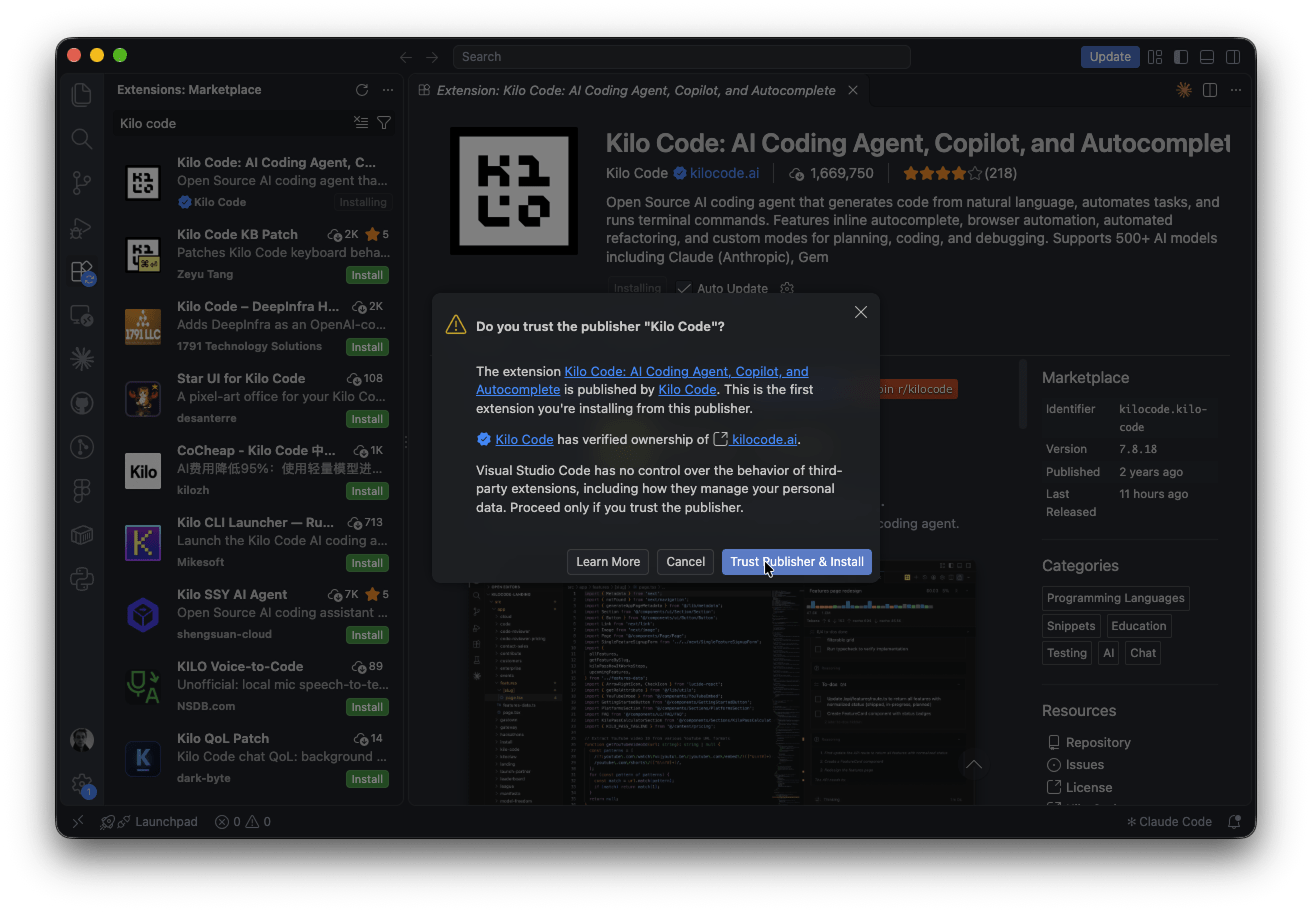
In VS Code, open Extensions, search for Kilo Code and press Install on Kilo Code: AI Coding Agent by the verified publisher Kilo Code. The extension is also on the VS Code Marketplace and Open VSX .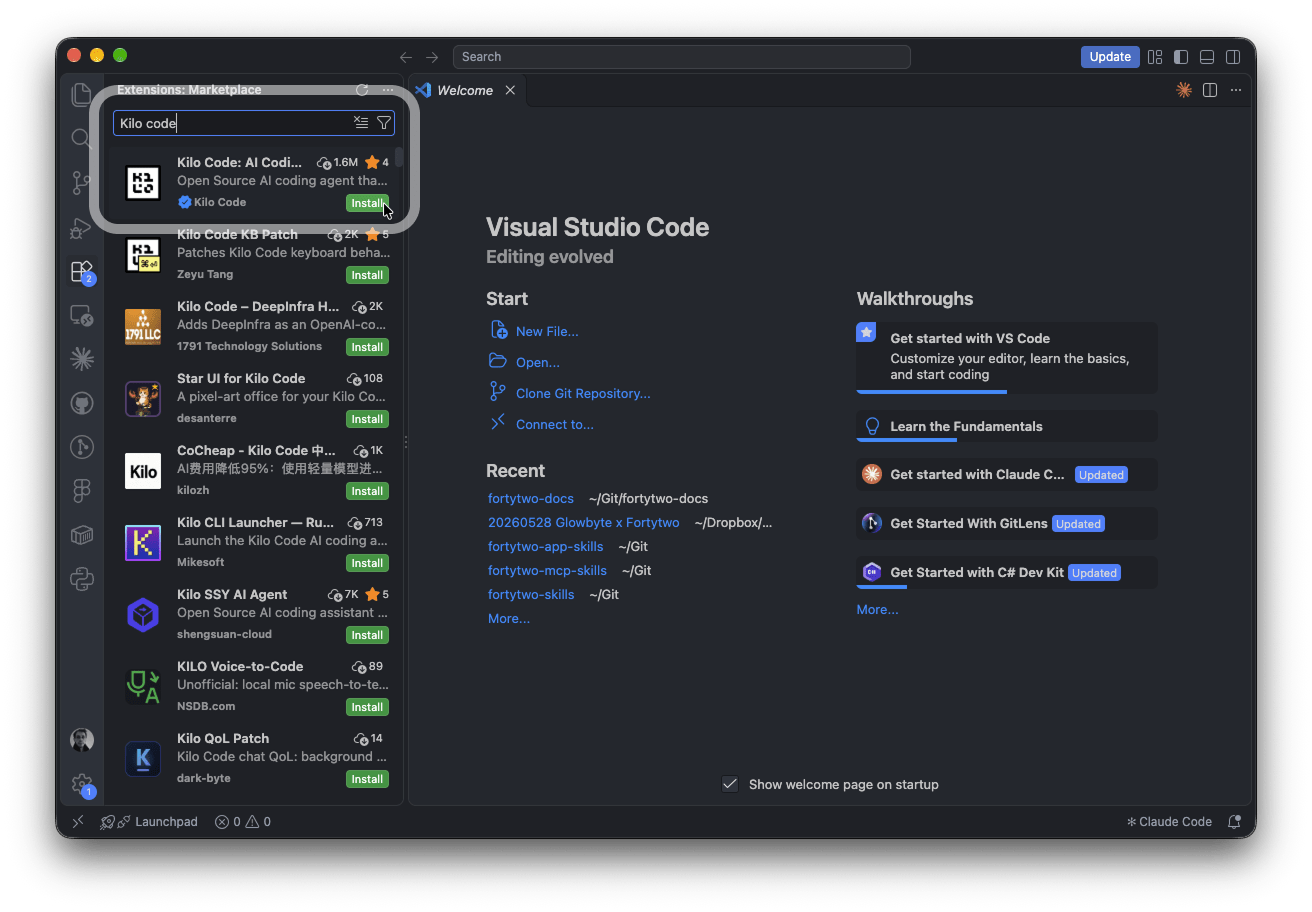
2
Kilo onboarding: choose how you work
Click the Kilo icon in the side bar. On Welcome to Kilo, choose how you want to work: Review first or High autonomy. Either option works with Fortytwo.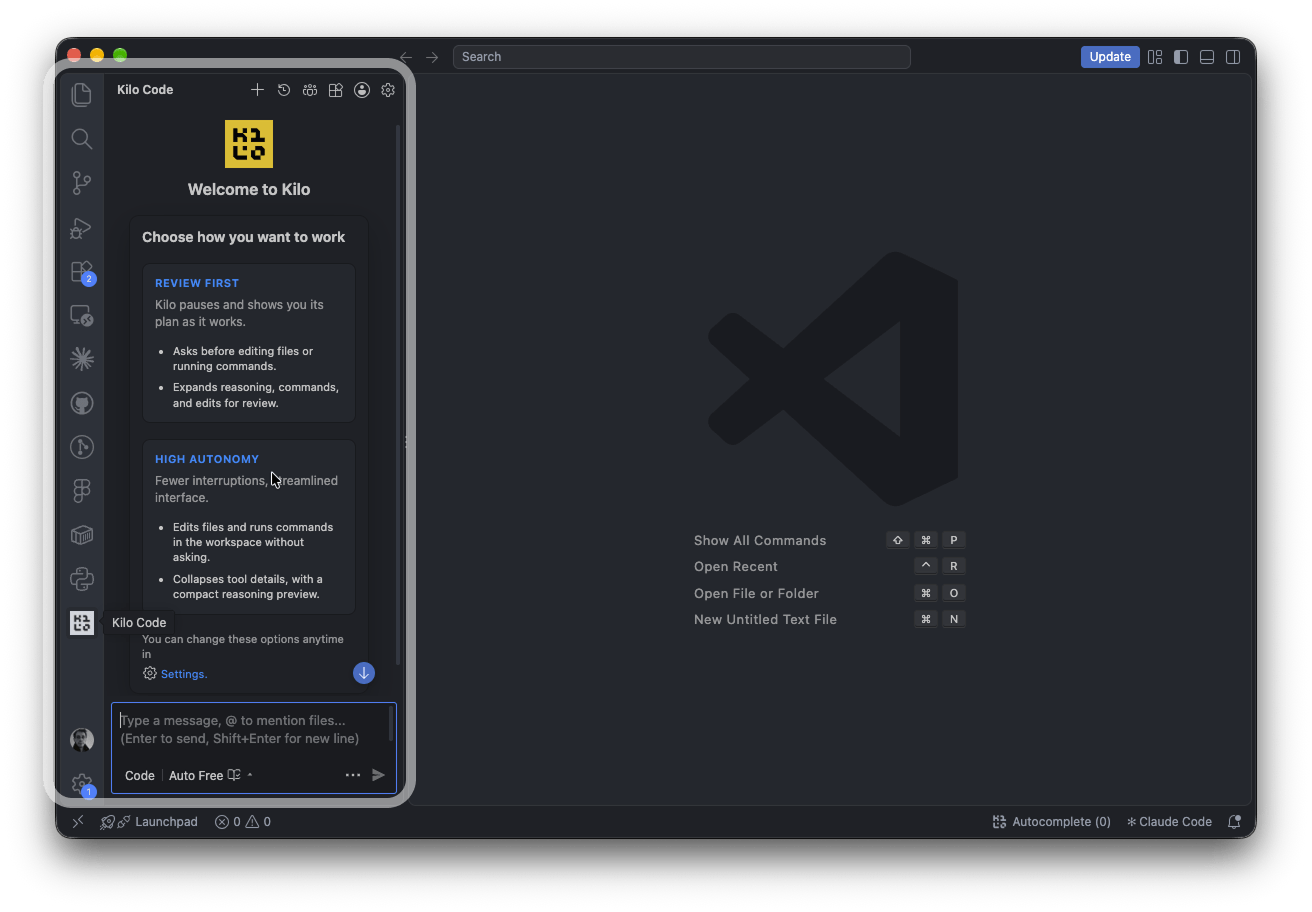
3
Add Fortytwo as a provider
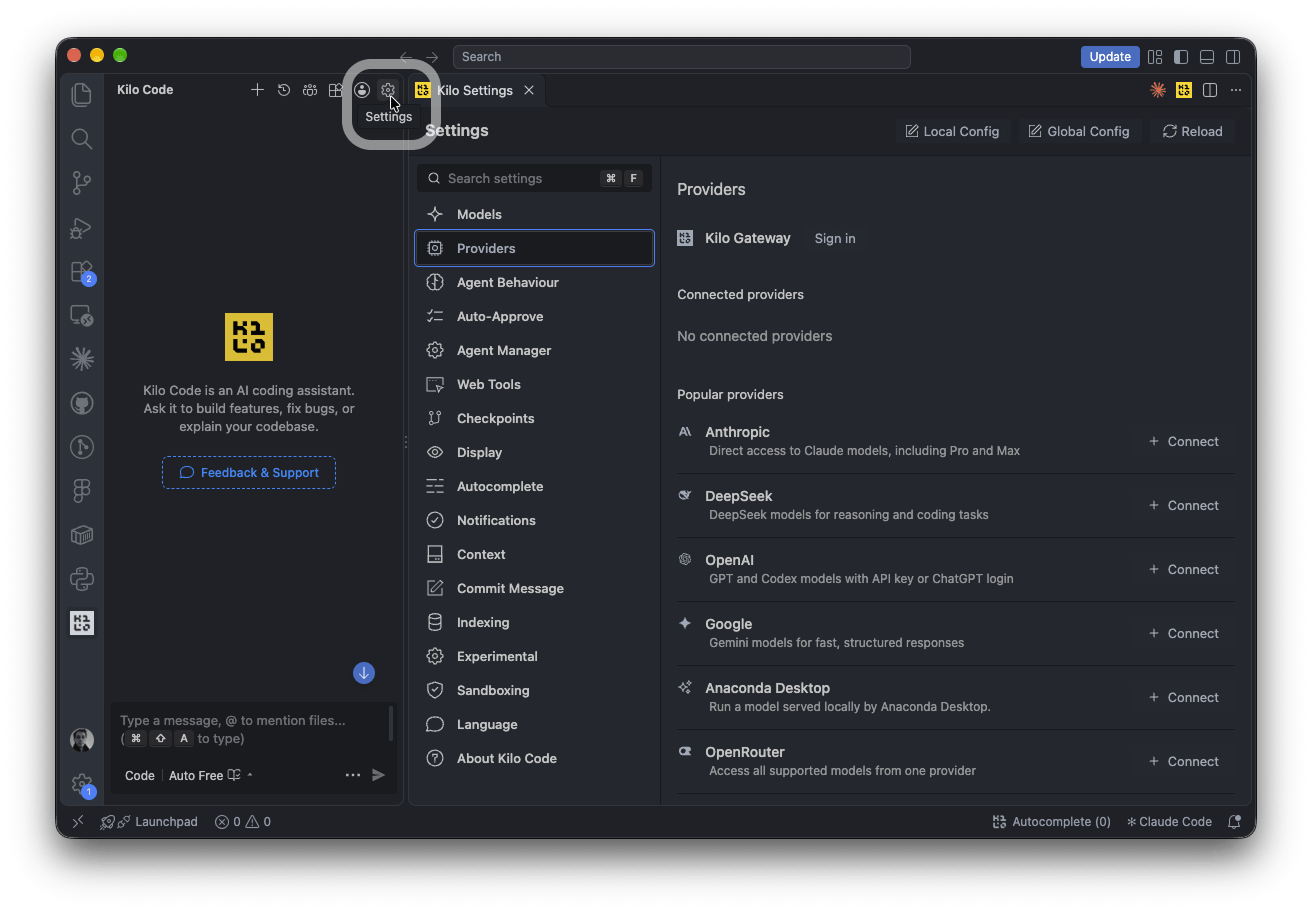
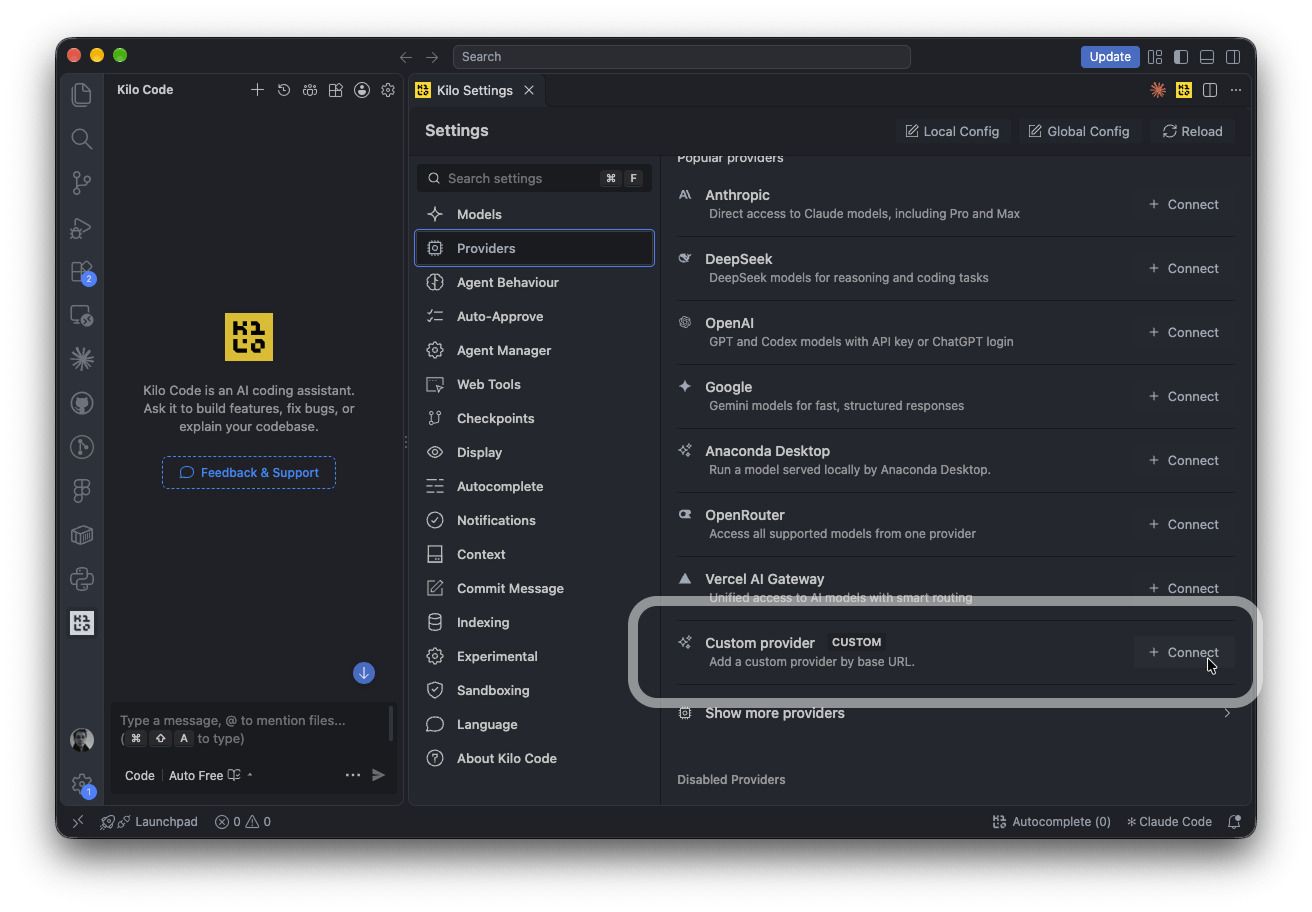
- Open Settings (the gear at the top of the Kilo panel).
- Then the Providers tab → Custom provider → Connect.
- Fill in the dialog:
- Press Submit.
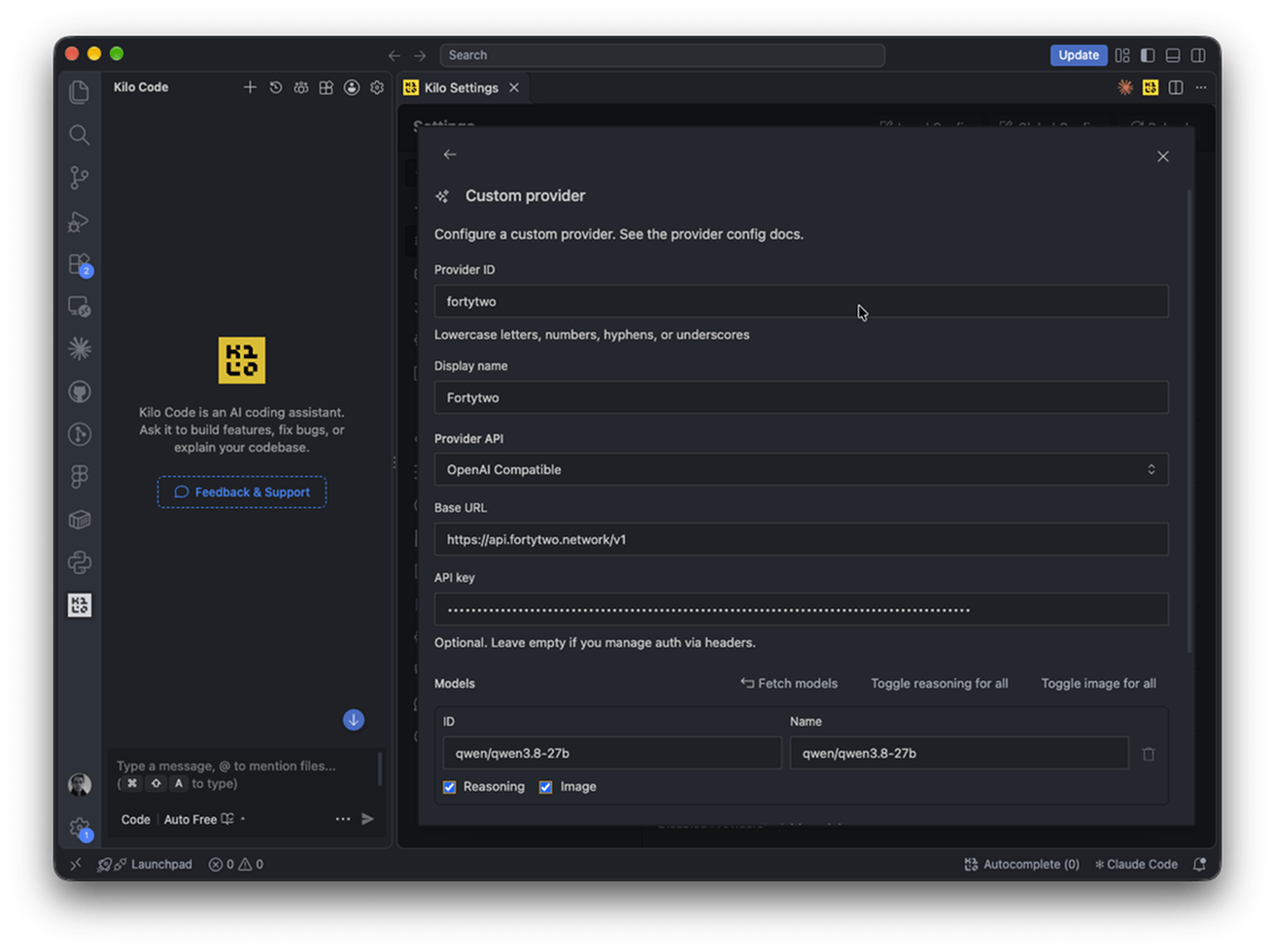
4
Set the context size
Kilo needs the model’s context and output limits to manage long sessions. In Providers, open the Fortytwo provider again. In Edit provider, press Edit advanced settings in the JSON config file: Save the file.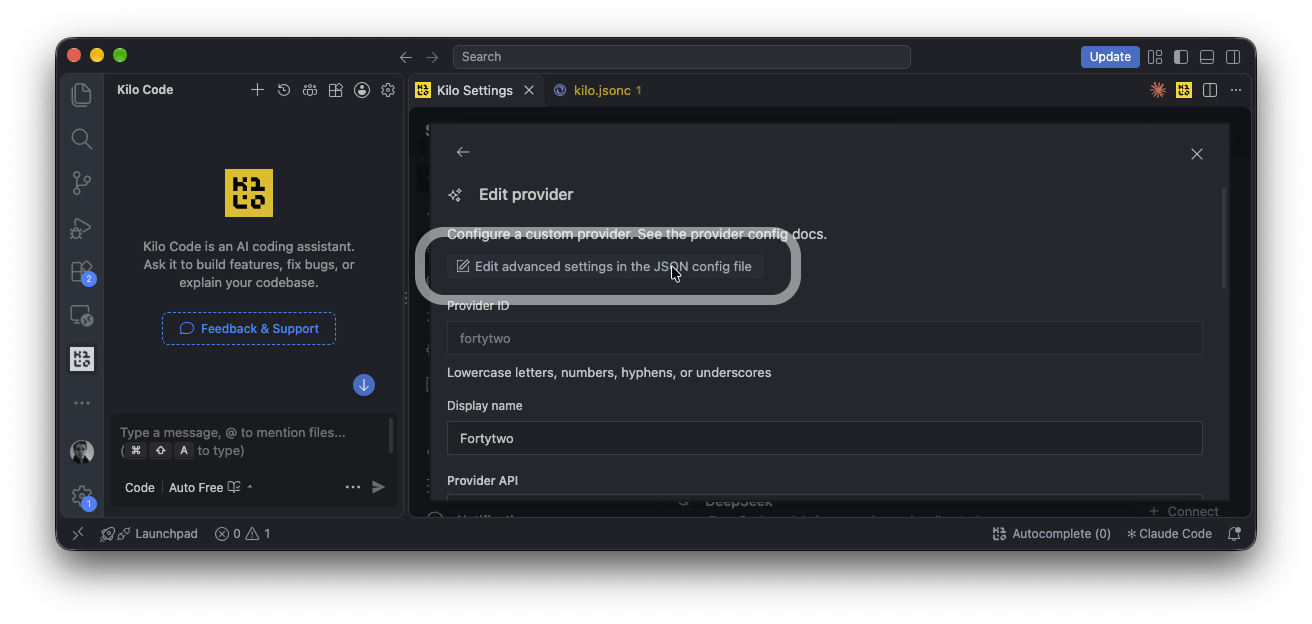
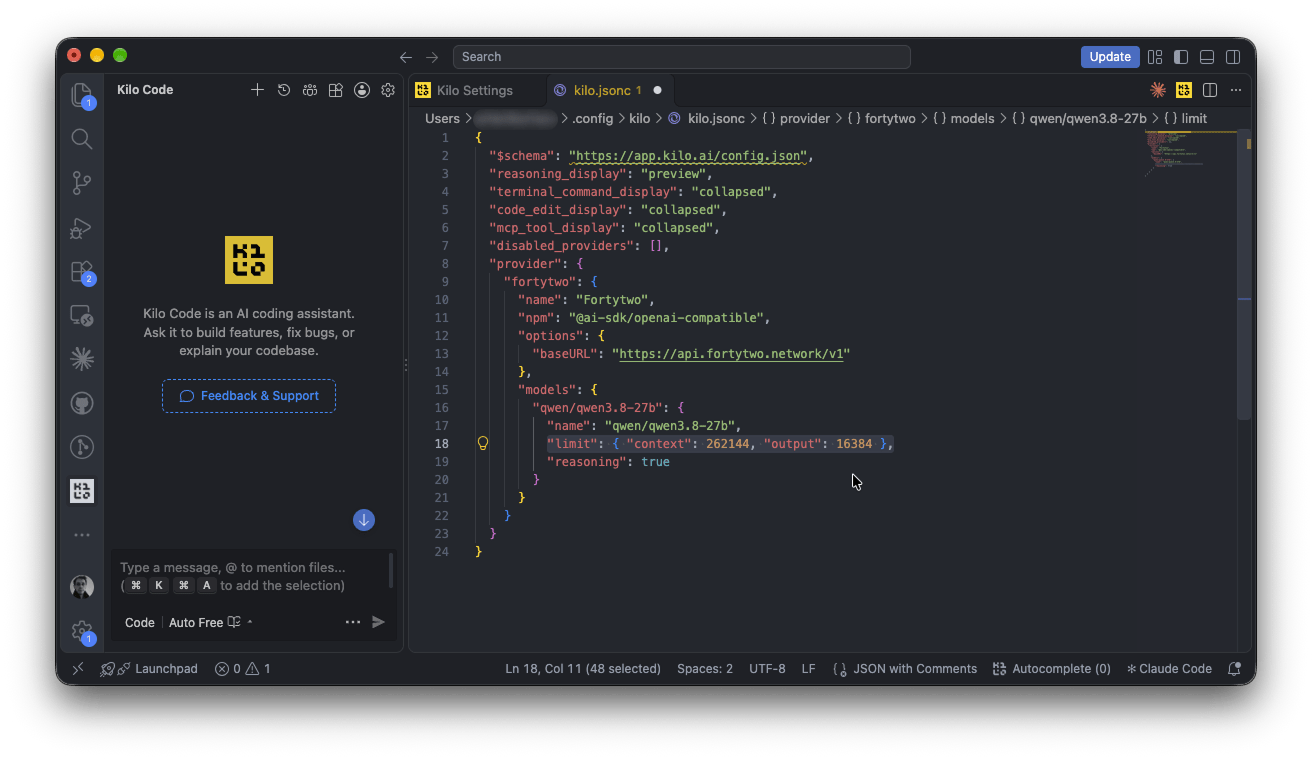
kilo.jsonc opens in the editor. Add the limit line to the model:~/.config/kilo/kilo.jsonc
5
Select the model and start
For a wider chat, press Open in Tab at the top of the editor: Kilo opens in an editor tab.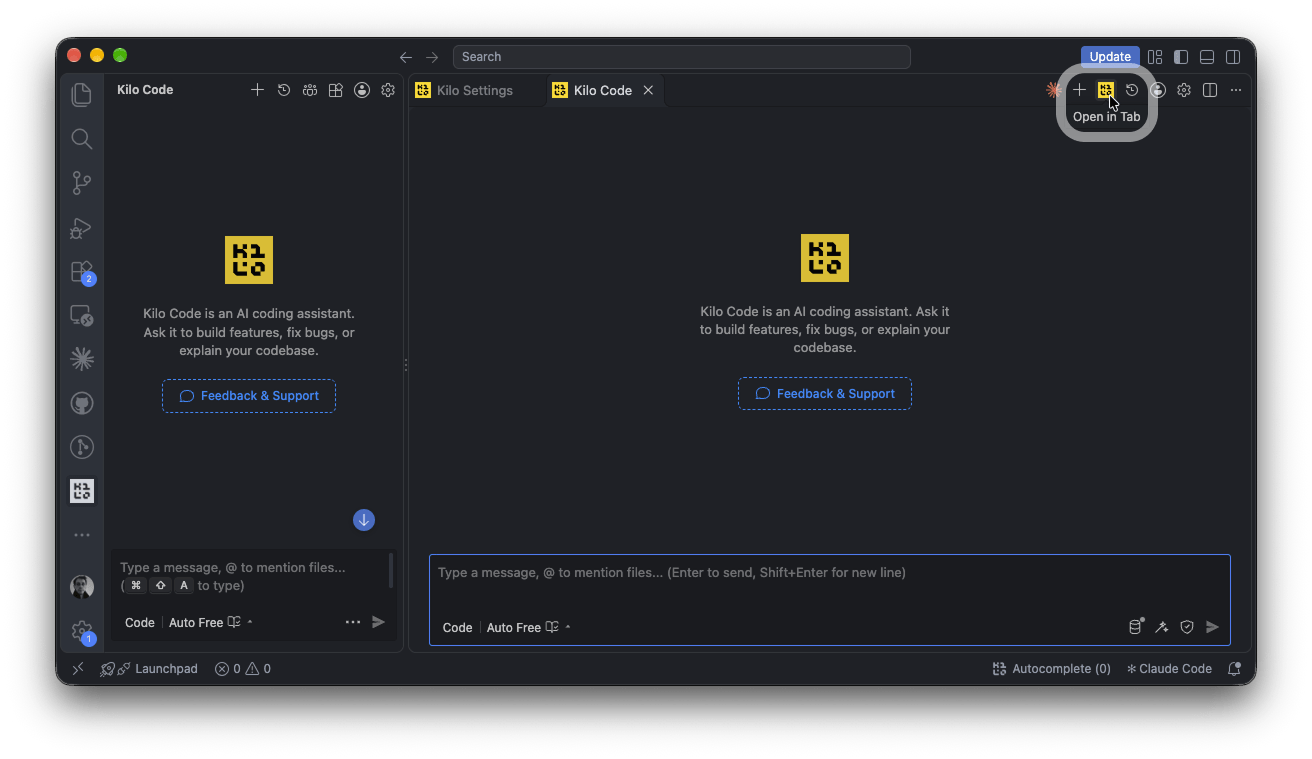
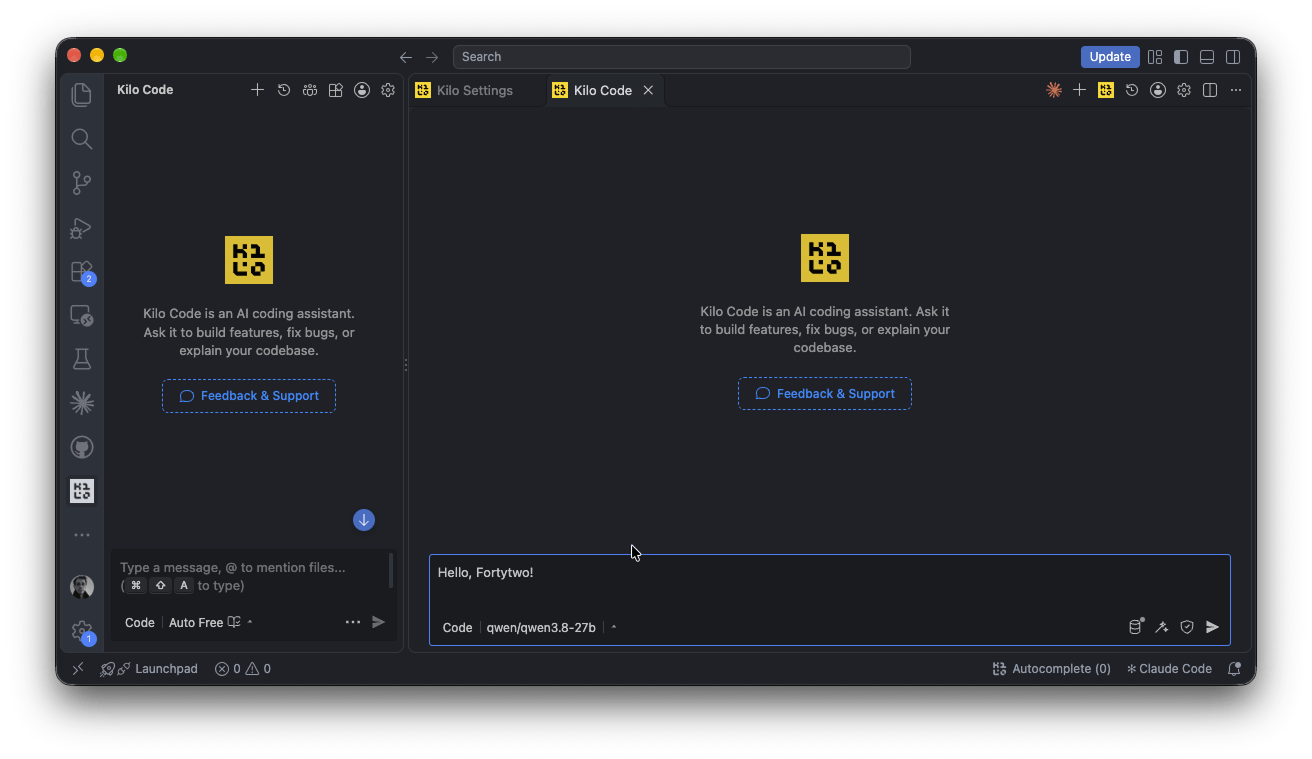
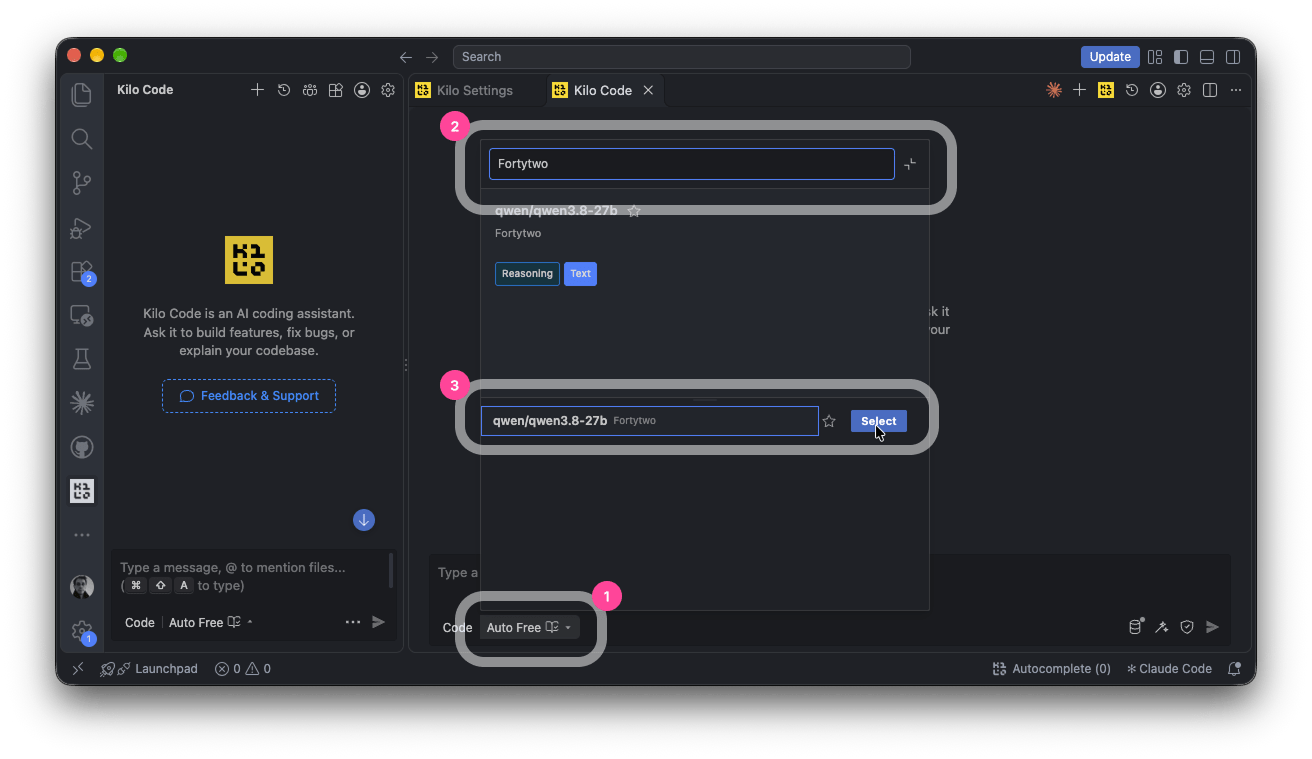
- Click the model selector under the message box. It shows Auto Free until you change it.
-
Search for
Fortytwo. -
Choose qwen/qwen3.8-27b and press Select.
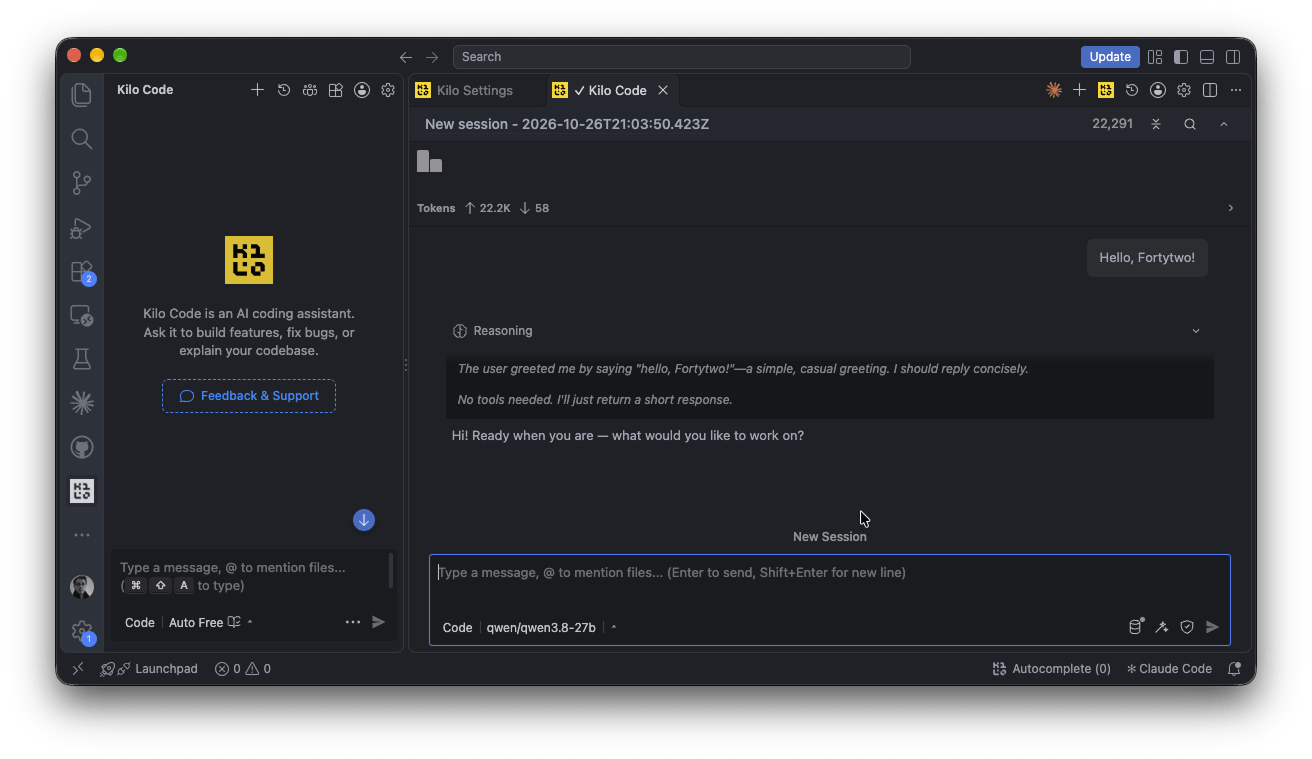
qwen/qwen3.8-27b. Type a message or a task and press Enter. The reply shows the model’s Reasoning above the answer.Something not working with your agent, or using one we have not listed? Tell us in the platform: Feedback for ideas and small bugs, Contact support if it blocks your work, or Report a security issue.