

Before you start: create a Fortytwo API key and buy credits — see Quickstart, step 1. Give each agent its own key with a Spend limit.
1
Install Cline
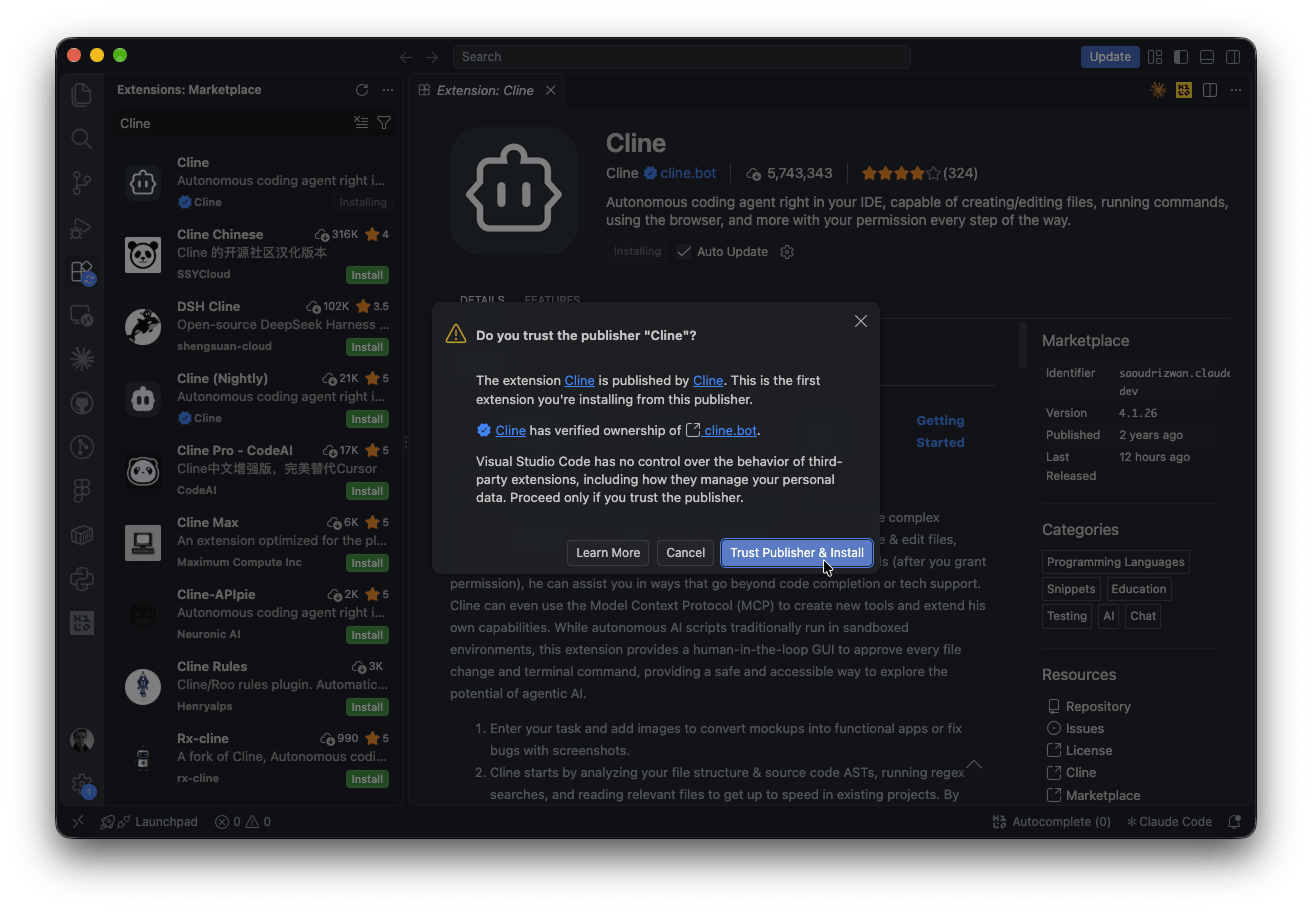
In VS Code, open Extensions, search for Cline and press Install on Cline by the verified publisher Cline. The extension is also on the VS Code Marketplace .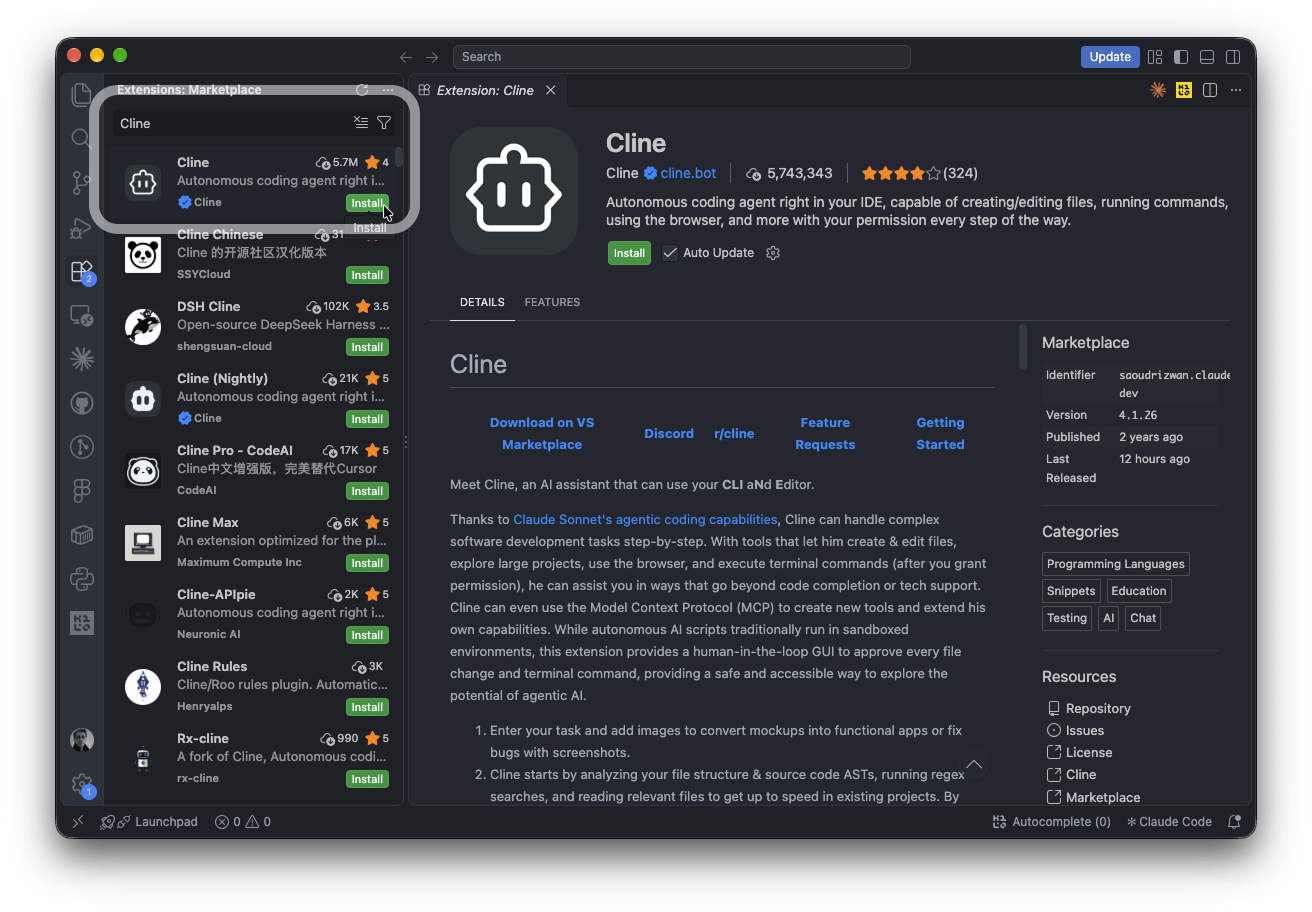
2
Cline onboarding: bring your own API key
Click the Cline icon in the side bar. On How will you use Cline?, choose Bring my own API key and press Continue.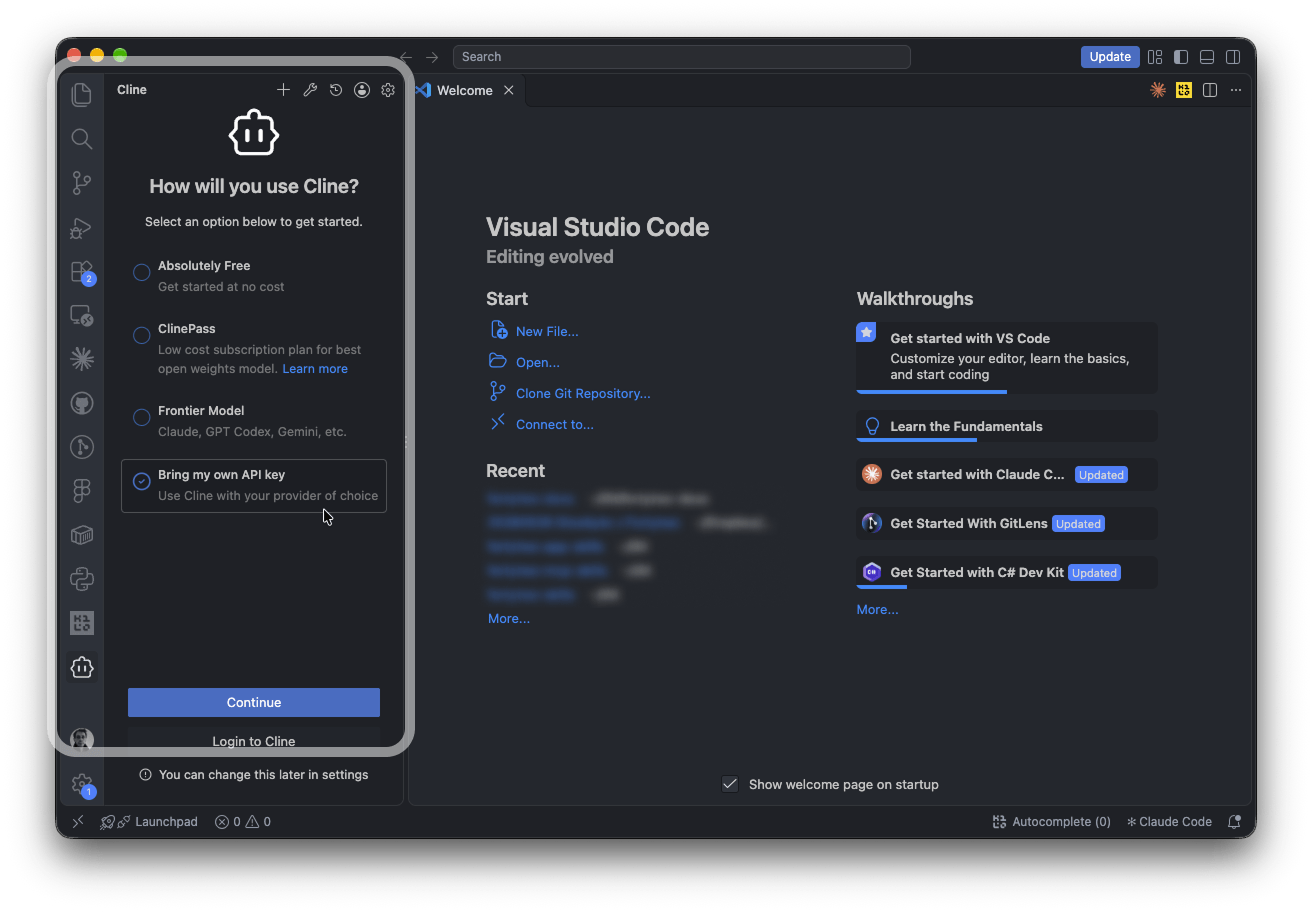
3
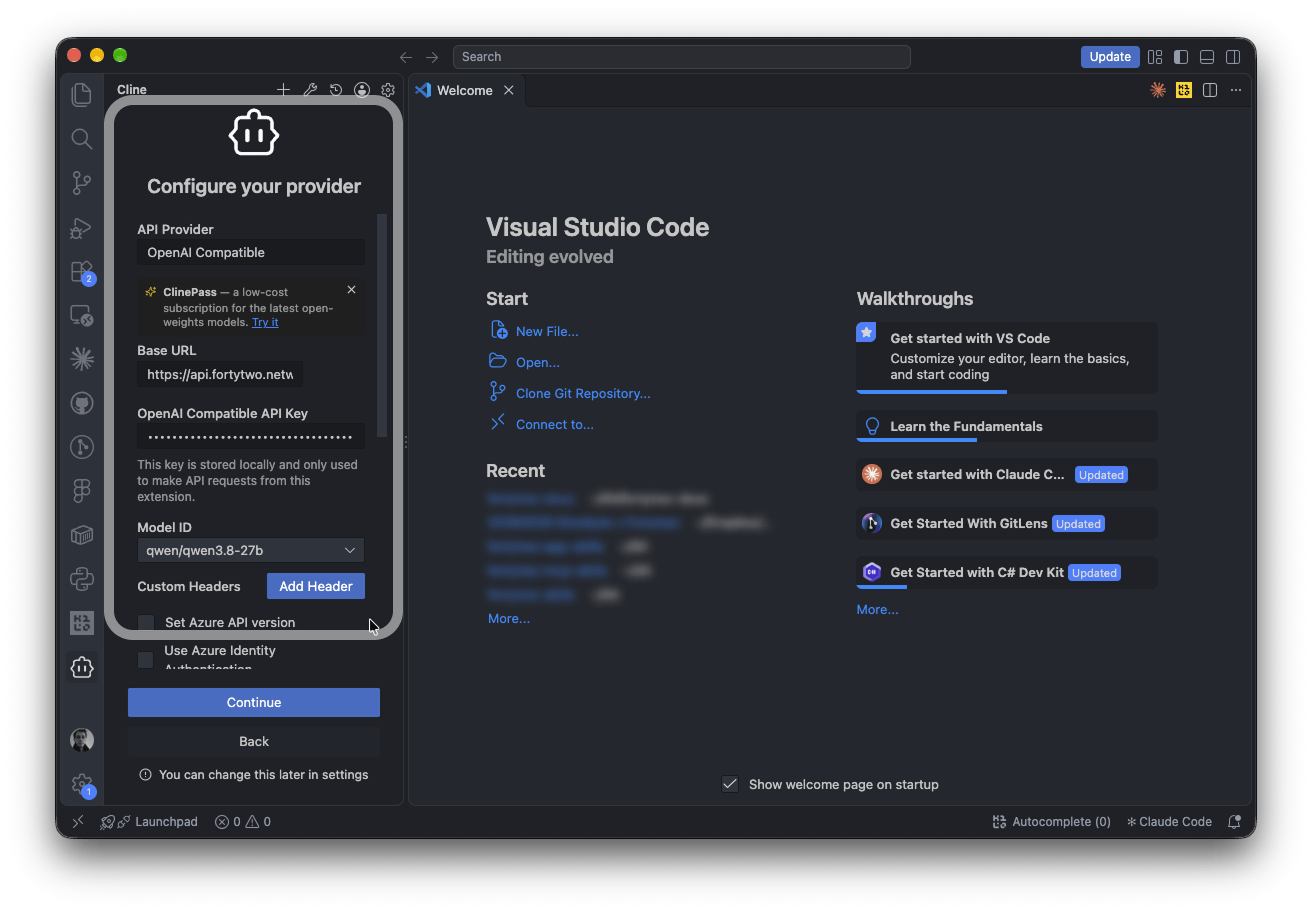
Enter the Fortytwo settings
- In API Provider, choose OpenAI Compatible.
- Fill in the fields:
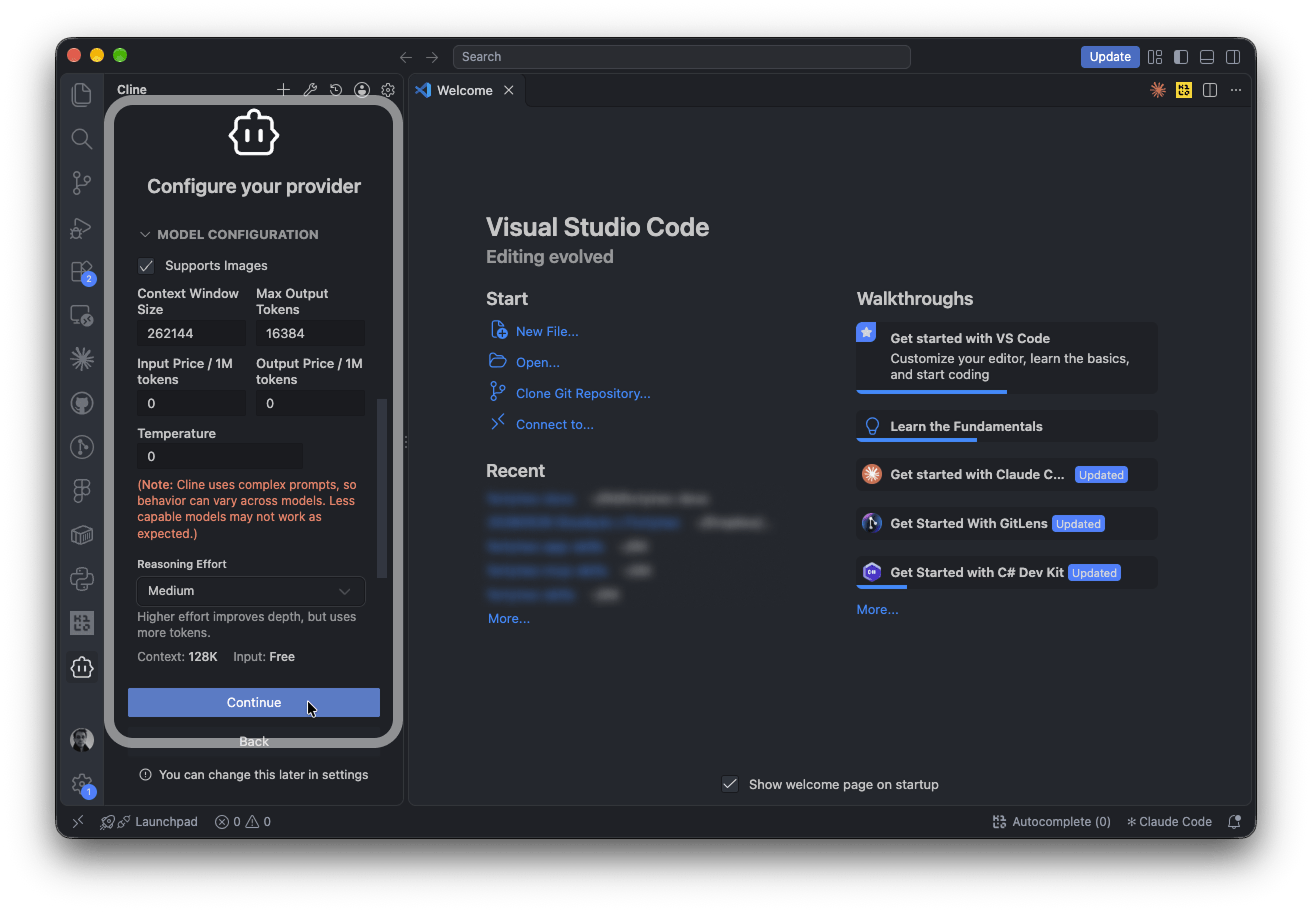
- Open Model Configuration: turn on Supports Images, set Context Window Size to
262144, Max Output Tokens to16384and Reasoning Effort to Medium. With None, the model answers without reasoning. - Press Continue.
4
Start a task
Below the message box, Cline shows the active model: 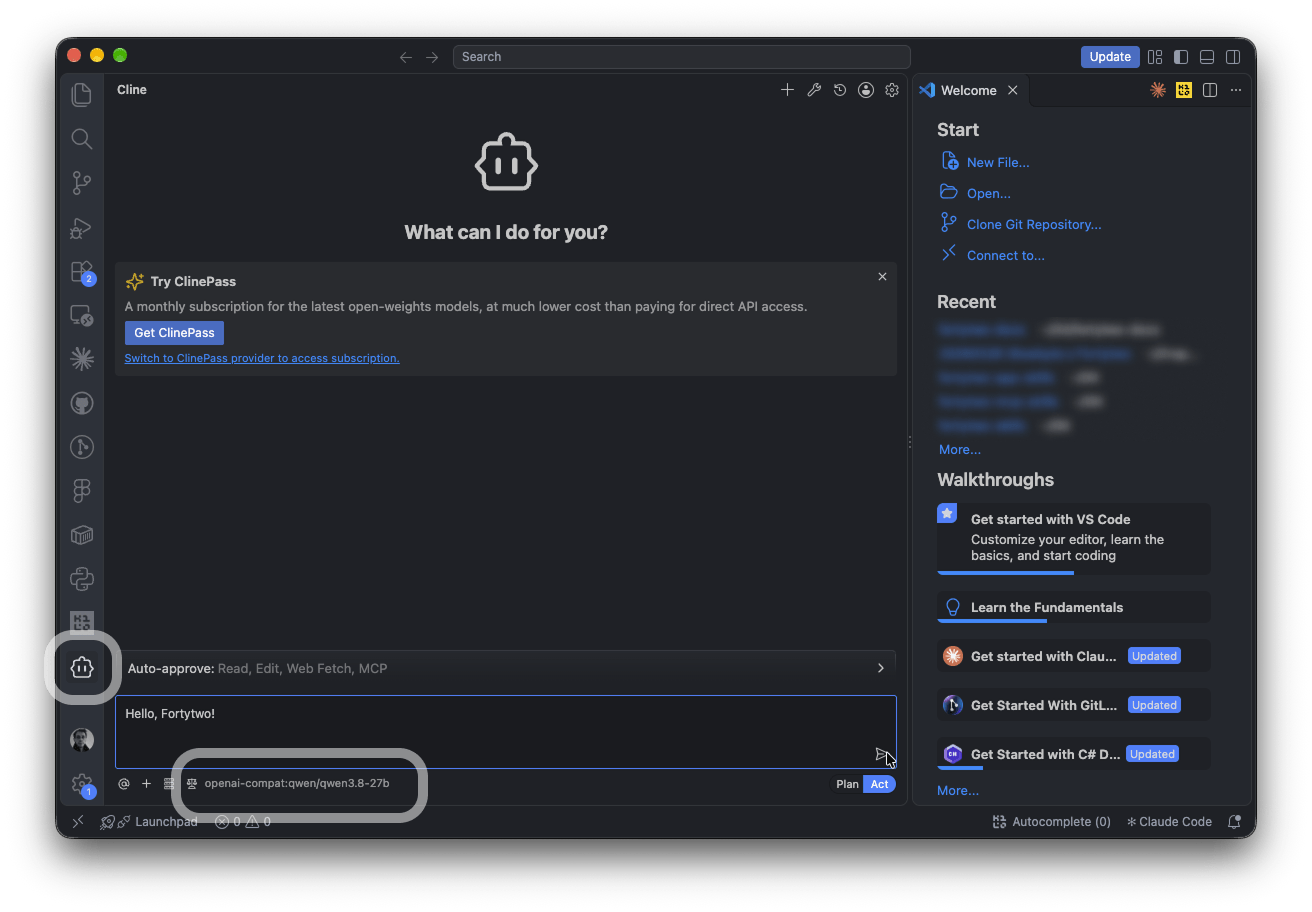
openai-compat:qwen/qwen3.8-27b.If it shows another model, click it and set Model ID to qwen/qwen3.8-27b.Type a task in the message box and press Enter.Something not working with your agent, or using one we have not listed? Tell us in the platform: Feedback for ideas and small bugs, Contact support if it blocks your work, or Report a security issue.